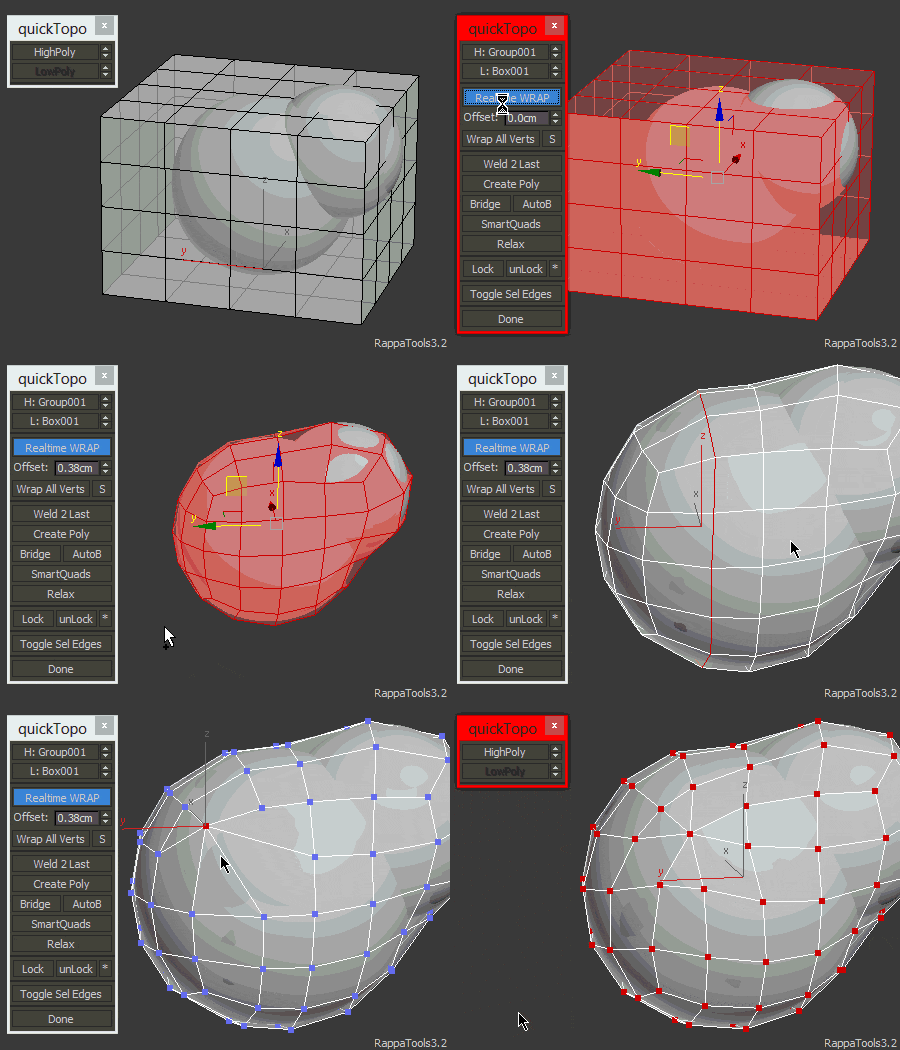
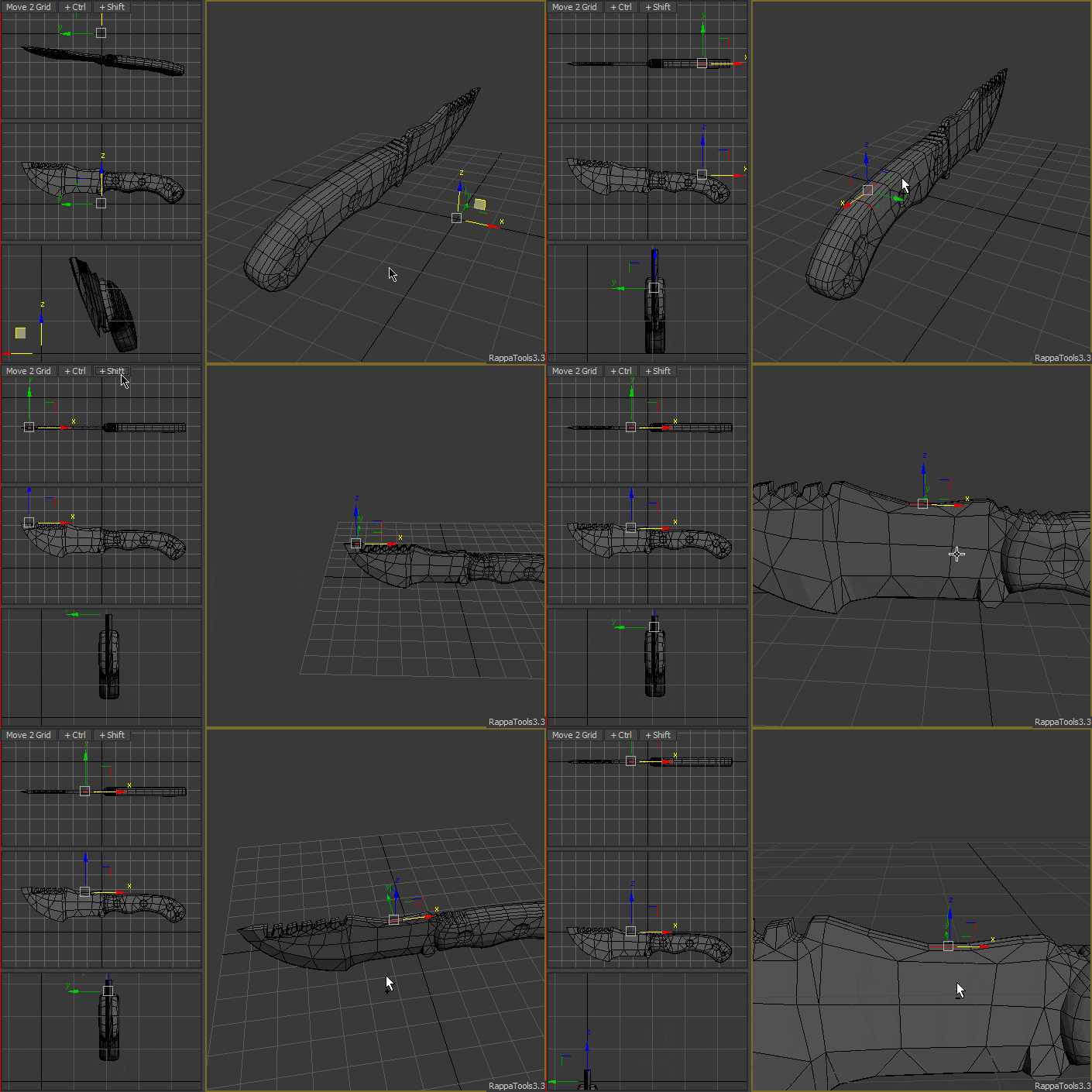
RappaTools3 is an advanced toolbox that comes with a great variety of tools for the artist working in 3ds Max. The main focus is to speed up the workflow and to reduce the click count. It offers a wide variety of tools, everything from selection tools to rendering tools. It can help you through the entire process of creating a 3D art piece.
What's new (1444 aka 3.1):
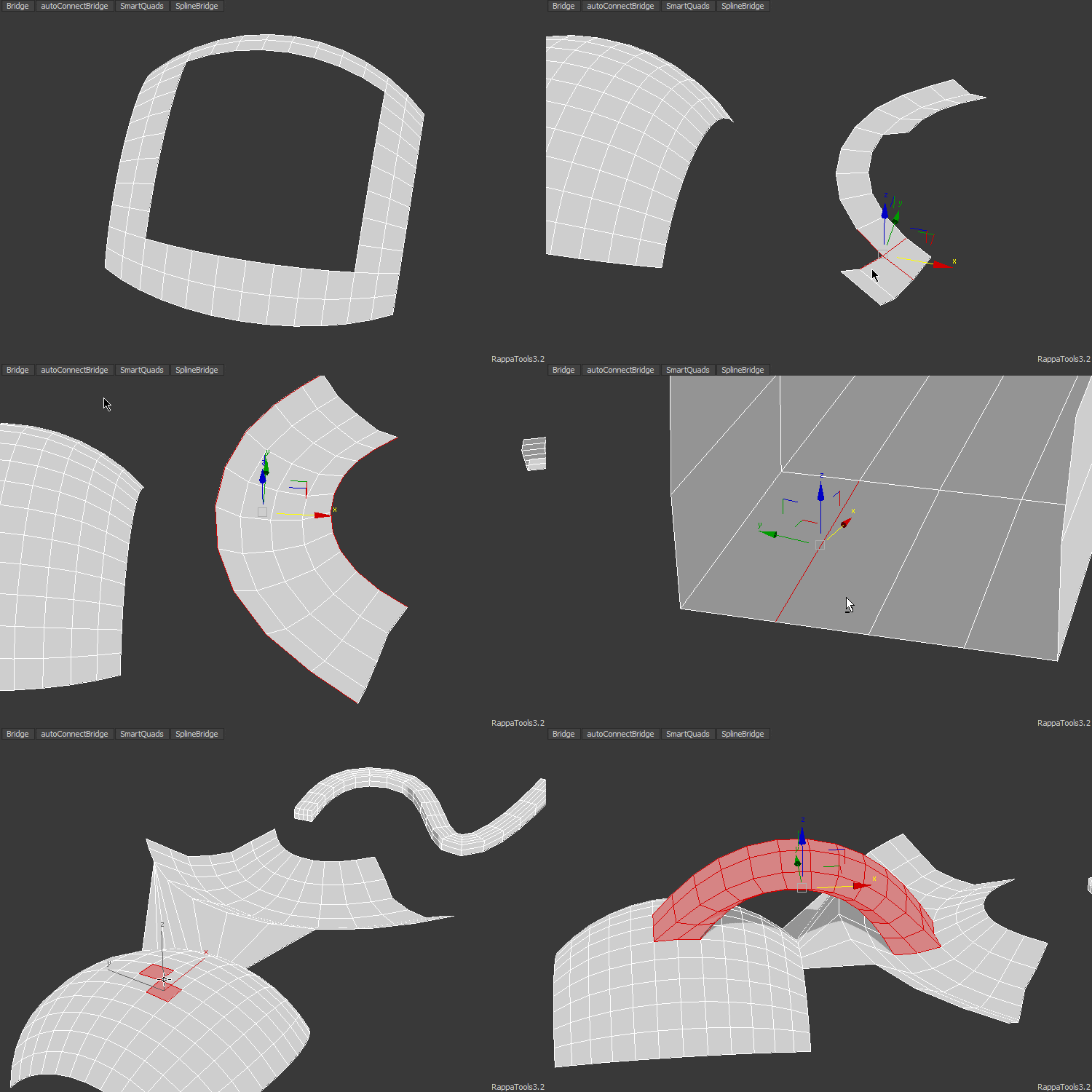
- - Added Auto Connect Bridge.
- - Added SmartQuads.
- - Various interface changes.
- - Usability and Speed improvements.
- - Minor fixes and 3ds max 2014 support.
What's new (1425):
- - Changed install path to userscripts.
- - Speed improvements.
- - IsolationMode now hides helpers.
- - Added TimeSlider tool, see ViewportTools or macros.
- - Fixed some bugs.
What's new (1406):
- - New interface and new dialogs.
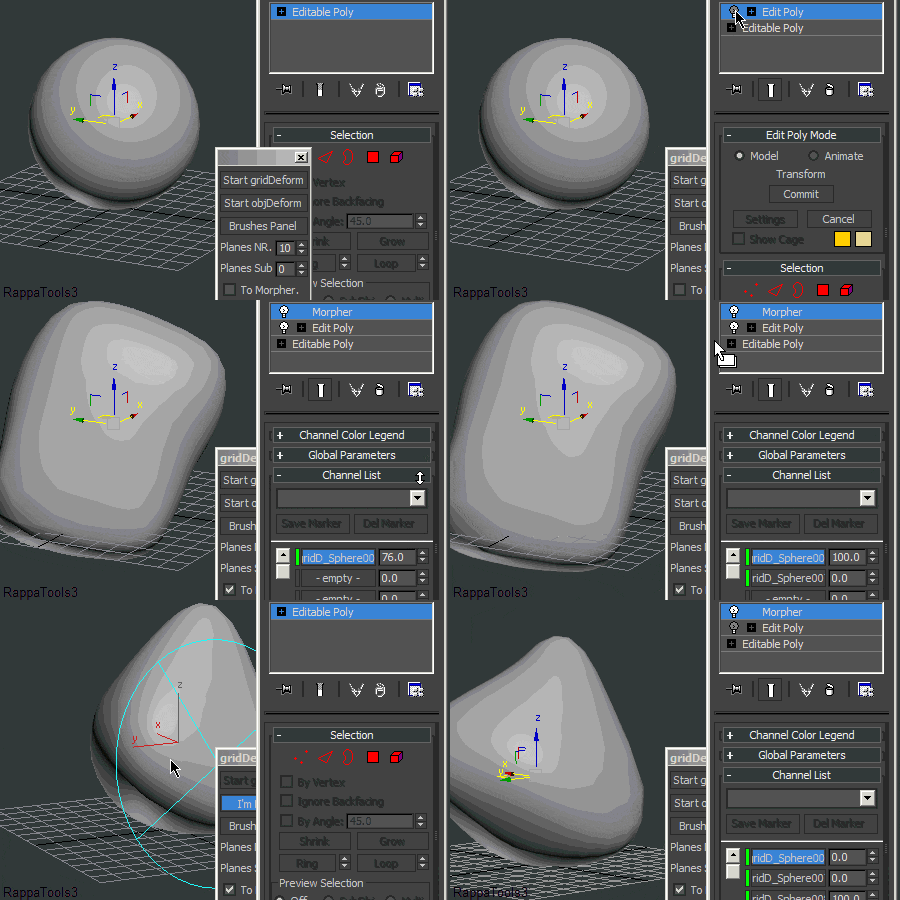
- - Added gridDeform.
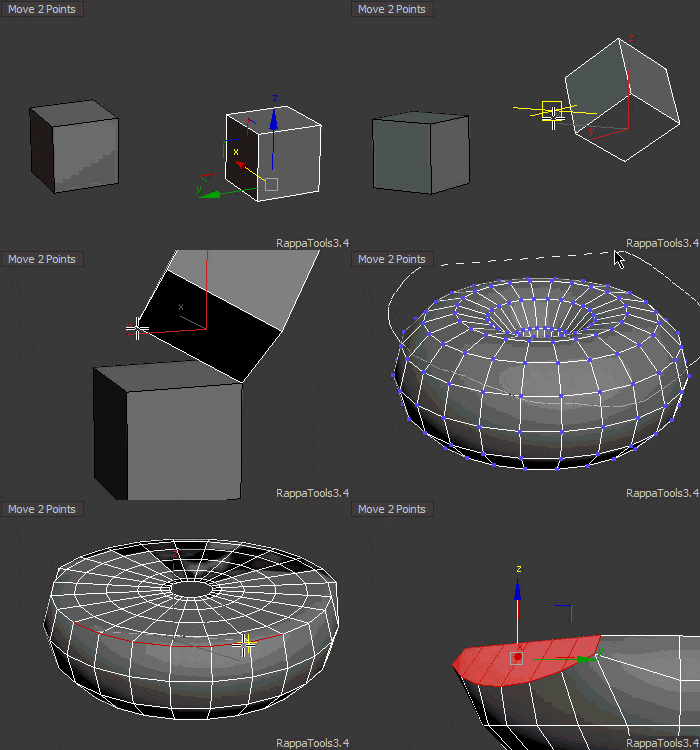
- - Added Align/Scale/Rotate that contains 'Move to Point', 'Points Aling', 'Set Object Scale', 'Set Object Height'and 'Rotate Around Point'.
- - Added Brushes (standard, move, smudge, inflate, pinch, relax, noise).
- - Added to Similar select instances if SubObjectLevel = 0.
- - Added 'SplineRefine' to Verts Tool.
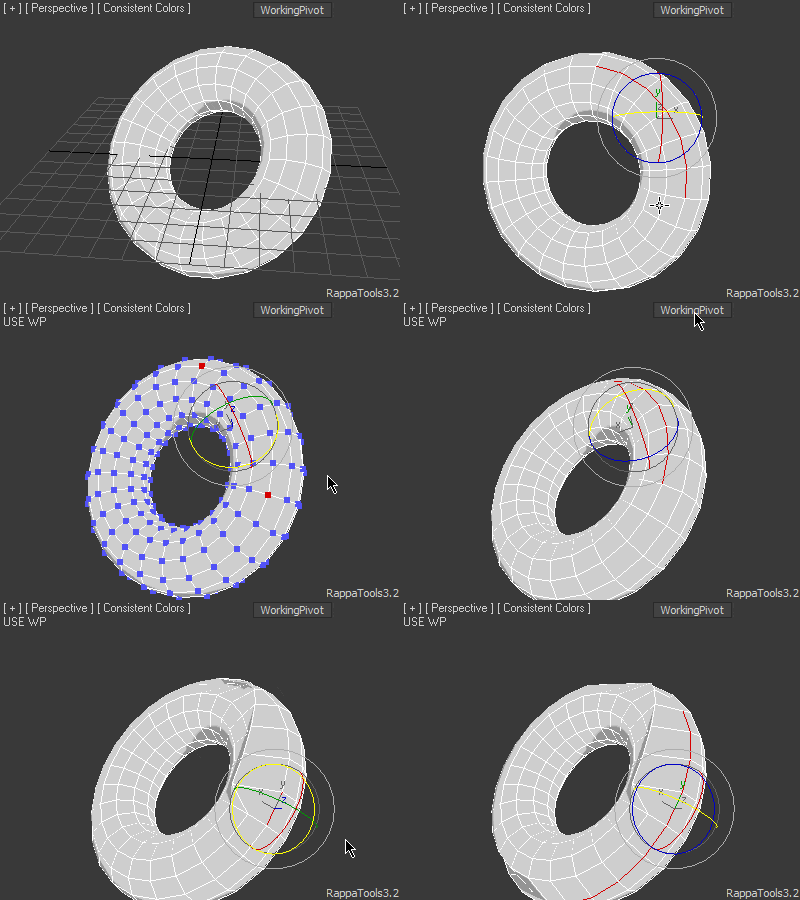
- - Added Silhouette View.
- - Spline Bridge update.
Here are some of the benefits you get:
- Get 3 Interfaces, with over 300+ Macroscripts and 200+ features.
- Intuitive hotbox access for a faster workflow.
- With AutoConnectBridge and SmartQuads significantly increase the modeling speed.
- With gridDeform produce realistic looking animation and models.
- With ChamferOp produce great topology without pinching.
- Replace tedious tasks with one click of a button.
- Never struggle again with the ribbon.
- Have everything in one place for quick access.
- You will produce better results in less time.
- Free Updates and Support.
- Automatic update system.
Contact me for special discounts and policies !
To Install simply drag the mzp file in the viewport.
RappaTools3 is compatible with 3ds Max and 3ds Max Design starting with version 9 Sp1+ (x86 and x64).
RappaTools 3 Quick Guide
Every button / function can be assigned to a keyboard shortcut, custom toolbar or quad menu. There are over 300 MacroScripts.
When you right click the title bar you will get this menu:
Sub Object
When you click 'Sub Object' you will get an RCMenu with Sub Object Level functions.
- Click:

- Middle Click:
- Last button from the menu (do last).
Limited Support for EditPoly Modifier.
fn: RappaTools3.SubObjectMenufunc()
adv.fn: RappaTools3.SubObjectMenufunc click:true/false
Loop
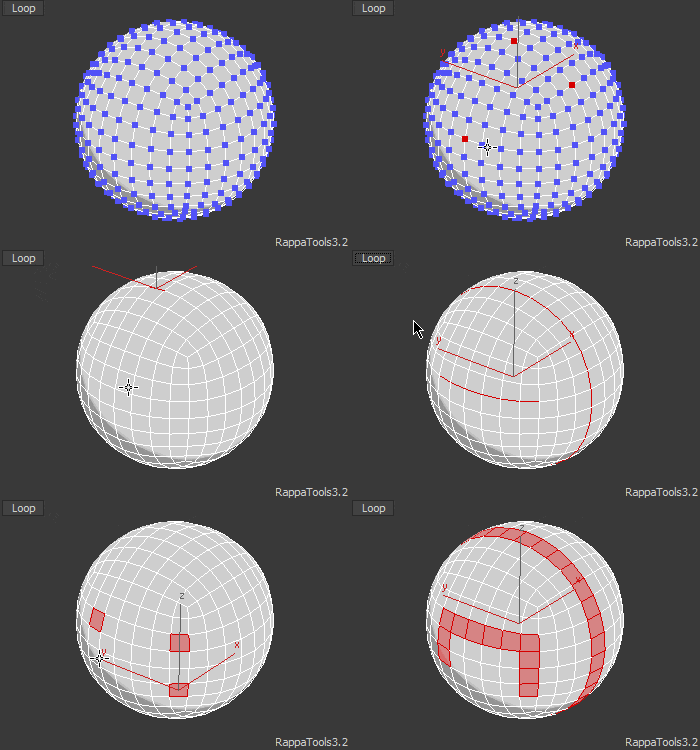
Smart Loop selection for all SubObjectLevels.
- +Ctrl:
- Loops + ChamferDialog (edge,vertex), BevelDialog (poly).
- +Shift:
- Loops then ChamferMode (edge,vertex), BevelMode (poly).
- +Alt:
- ChamferDialog (edge,vertex), BevelDialog(poly).

Limited Support for EditPoly Modifier.
fn: RappaTools3.Loopfunc()
adv.fn: RappaTools3.Loopfunc ctrl:true/false shift:true/false alt:true/false selLevel:1..5
Ring
Smart Ring selection for all SubObjectLevels.

Limited Support for EditPoly Modifier.
fn: RappaTools3.Ringfunc()
adv.fn: RappaTools3.Loopfunc selLevel:1..5
Grow Selection

Grow Selection in current SubObjectLevels.
- Click:
- Grow Selection.
- +Alt:
- Random Grow Selection.
- Right Click:

- Middle Click:
- Last button from the menu (do last).
Support for EditPoly Modifier.
fn: RappaTools3.GrowSelfunc() ; RappaTools3.GrowSelMenufunc()
adv.fn: RappaTools3.GrowSelfunc alt:true/false selLevel:1..5 ; RappaTools3.GrowSelMenufunc click:true/false

Grow Loop
Grow EdgeRing in steps.
- Click:
- Grow Loop in current SubObjectLevels.
- +Ctrl:
- Grow Loop in Edge SubObjectLevel.
Support for EditPoly Modifier.
fn: RappaTools3.GrowLoopfunc() ; RappaTools3.LoopGrowShrink()
adv.fn: RappaTools3.GrowLoopfunc ctrl:true/false selLevel:1..5
Grow Ring

Grow EdgeRing in steps.
- Click:
- Grow Ring in current SubObjectLevels.
- +Ctrl:
- Grow Ring in Edge SubObjectLevel.
Support for EditPoly Modifier.
fn: RappaTools3.GrowRingfunc() ; RappaTools3.RingGrowShrink()
adv.fn: RappaTools3.GrowRingfunc ctrl:true/false selLevel:1..5
Shrink Selection

Shrink Selection in current SubObjectLevels.
- Click:
- Shrink Selection.
- +Alt:
- Random Shrink Selection.
- Right Click:

- Middle Click:
- Last button from the menu (do last).
Support for EditPoly Modifier.
fn: RappaTools3.ShrinkSelfunc() ; RappaTools3.ShrinkSelMenufunc()
adv.fn: RappaTools3.ShrinkSelfunc alt:true/false selLevel:1..5 ; RappaTools3.ShrinkSelMenufunc click:true/false

Shrink Loop
Shrink EdgeRing in steps.
- Click:
- Shrink Loop in current SubObjectLevels.
- +Ctrl:
- Shrink Loop in Edge SubObjectLevel.
Support for EditPoly Modifier.
fn: RappaTools3.ShrinkLoopfunc() ; RappaTools3.LoopGrowShrink()
adv.fn: RappaTools3.ShrinkLoopfunc ctrl:true/false selLevel:1..5
Shrink Ring

Shrink EdgeRing in steps.
- Click:
- Shrink Ring in current SubObjectLevels.
- +Ctrl:
- Shrink Ring in Edge SubObjectLevel.
Support for EditPoly Modifier.
fn: RappaTools3.ShrinkRingfunc() ; RappaTools3.RingGrowShrink()
adv.fn: RappaTools3.ShrinkRingfunc ctrl:true/false selLevel:1..5
Multi Hide
Shrink Selection in current SubObjectLevels.
- Click:

- Right Click:
-
- Click:
- Hide Selection.
- +Ctrl:
- Invert.
- +Alt:
- Un Hide.
- Middle Click:
- Last button from the menu (do last).

Support for EditPoly Modifier.
fn: RappaTools3.MultiHideMenufunc() ; RappaTools3.MultiHidefunc() ; RappaTools3.HidePolyfunc() ; RappaTools3.InvertHidePolyfunc() ; RappaTools3.unHidePolyfunc()
adv.fn: RappaTools3.MultiHideMenufunc click:true/false ; RappaTools3.MultiHidefunc ctrl:true/false alt:true/false selLevel:1..5
Dot Loop
Select loops with user-defined gaps for all SubObjectLevels.
- Click:
- Dot Loop.
- +Shift:
- Dot Edge Ring.
- Right Click:


Support for EditPoly Modifier.
fn: RappaTools3.DotLoopfunc() ; RappaTools3.sDotLoopWin()
adv.fn: RappaTools3.DotLoopfunc shift:true/false selLevel:1..5
+ Save
Save current SubObjectLevel Selection for later use.
- Click:

- Middle Click:
- Last button from the menu (do last).

Support for EditPoly Modifier.
fn: RappaTools3.SaveSelMenufunc() ; RappaTools3.SaveSelfunc(); RappaTools3.SaveSubSelfunc() --no clear ; RappaTools3.ClearSubSelfunc()
adv.fn: RappaTools3.SaveSelfunc ctrl:true/false shift:true/false alt:true/false selLevel:1..5
Similar
Select similar SubObject elements to the selected ones.
- Click:
- Select Similar elements.
- +Ctrl:
- Select Same elements.
- +Shift:
- Select Identical Polygons.
If you have an instanced object it will select the rest of the instances.

Support for EditPoly Modifier.
fn: RappaTools3.Similarfunc()
adv.fn: RappaTools3.Similarfunc ctrl:true/false shift:true/false selLevel:1..5
Adjacent
Adjacent selection in current SubObjectLevels.
- Click:
- Select Adjacent.
- Right Click:

- Middle Click:
- Last button from the menu (do last).

Support for EditPoly Modifier.
fn: RappaTools3.Adjacentfunc()
adv.fn: RappaTools3.Adjacentfunc selLevel:1..5
Fill / Hole
Fill area between selection.
- Click:

- Middle Click:
- Last button from the menu (do last).

Support for EditPoly Modifier.
fn: RappaTools3.FillHoleMenufunc() ; RappaTools3.FillFillHolefunc() ; RappaTools3.Fillfunc() ; RappaTools3.FillHolefunc()
adv.fn: RappaTools3.FillFillHolefunc ctrl:true/false shift:true/false selLevel:1..5
Select Half
Select half the subobject elements in the specified axis based on the location of the objects pivot.
- Click:
- Select Half on X.
- Use +Alt to invert.
- +Ctrl:
- SelectHalf on Y.
- Use +Alt to invert.
- +Shift:
- SelectHalf on Z.
- Use +Alt to invert.
- +Alt:
- Invert.

Support for EditPoly Modifier.
fn: RappaTools3.SelectHalffunc()
adv.fn: RappaTools3.SelectHalffunc ctrl:true/false shift:true/false alt:true/false selLevel:1..5
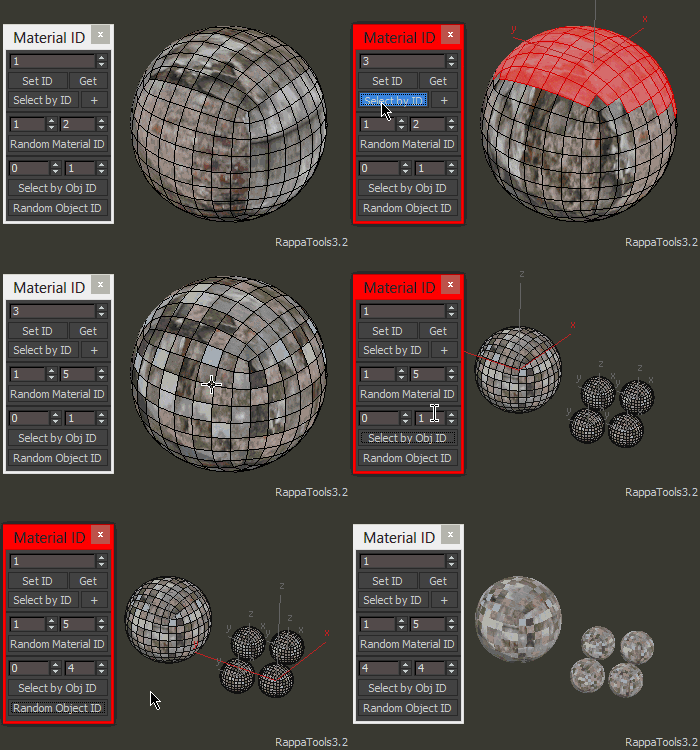
Material ID
- Click:

Material ID:
- Set Material ID.
- Select by Material ID.
- Random Material ID.
- Select by Object ID.
- Random Object ID.

Support for EditPoly Modifier.
fn: RappaTools3.sMaterialIdWin()
adv.fn: RappaTools3.sMaterialIdWin()
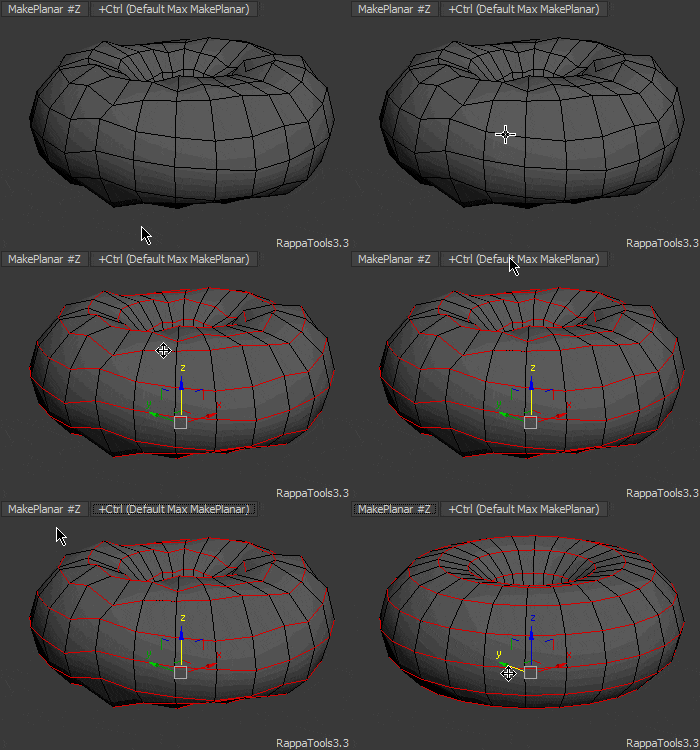
Make Poly
Convert selection to an EditablePoly object.
- Click:
- Convert selection to Editable Poly.
- +Ctrl:
- Convert selection to Editable Poly then move to the center of the scene!
- +Alt:
- Deselect Object, even if in sub object level.
- Right Click:

- Middle Click:
- Last button from the menu (do last).

- Reset XForm: Reset XForm then convert to Editable Poly.
- Reset XForm + FlipN: Reset XForm then convert to Editable Poly with Fliped Normals.
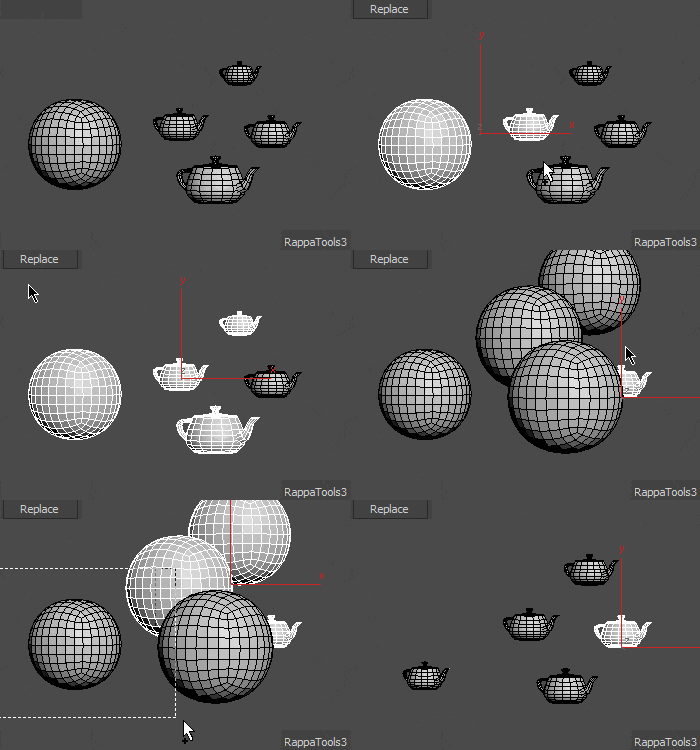
- Copy Replace: Quickly Replace selected objects with a copy of the first object.
- Instance Replace: Quickly Replace selected objects with an instance of the first object.
- Referance Replace: Quickly Replace selected objects with an referance of the first object.
- Shuffle: Change selected objects between them.
fn: RappaTools3.MePolyfunc() ; RappaTools3.MakePolyMenufunc()
adv.fn: RappaTools3.MePolyfunc ctrl:true/false alt:true/false
Objects Actions
Convert selection to an EditablePoly object.
- Click:

- Middle Click:
- Last button from the menu (do last).
- World (0,0,0): Takes the selected obj in the center of the scene... Position [0,0,0].
- On Ground: Make the Objects touch the ground... Bottom on ground...
- Group to Center: Move group selection to [0,0,0].
- One Object: Make the selected objects as one.
- Explode Object: Detach subobject elements.
- Detach Selection: Detach to element.
- Break Selection: Detach selected polygons.
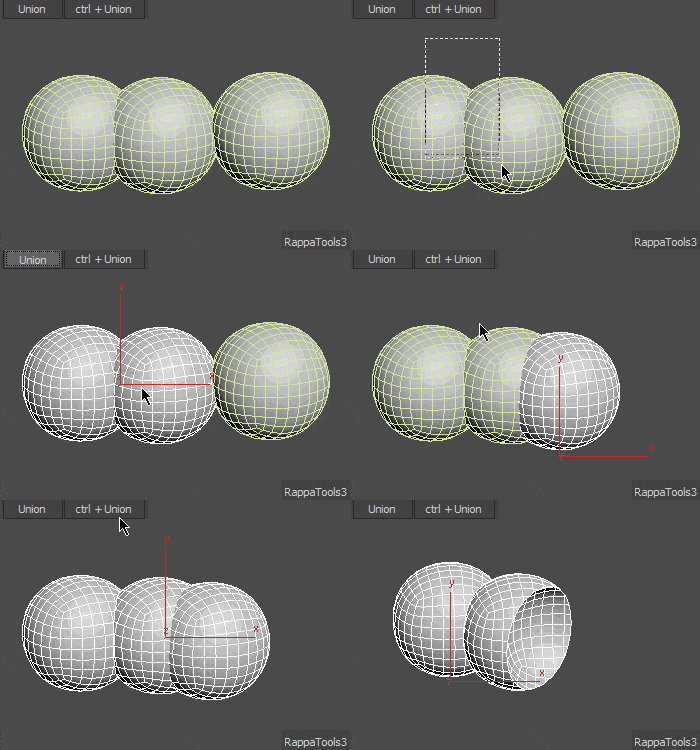
- Union: Quick Union selected objects usign Pro Boolean.
- Subtract: Quick Subtract the first selected object usign Pro Boolean.
- Bottom Pivot: Put pivot at the bottom of the object/objects.
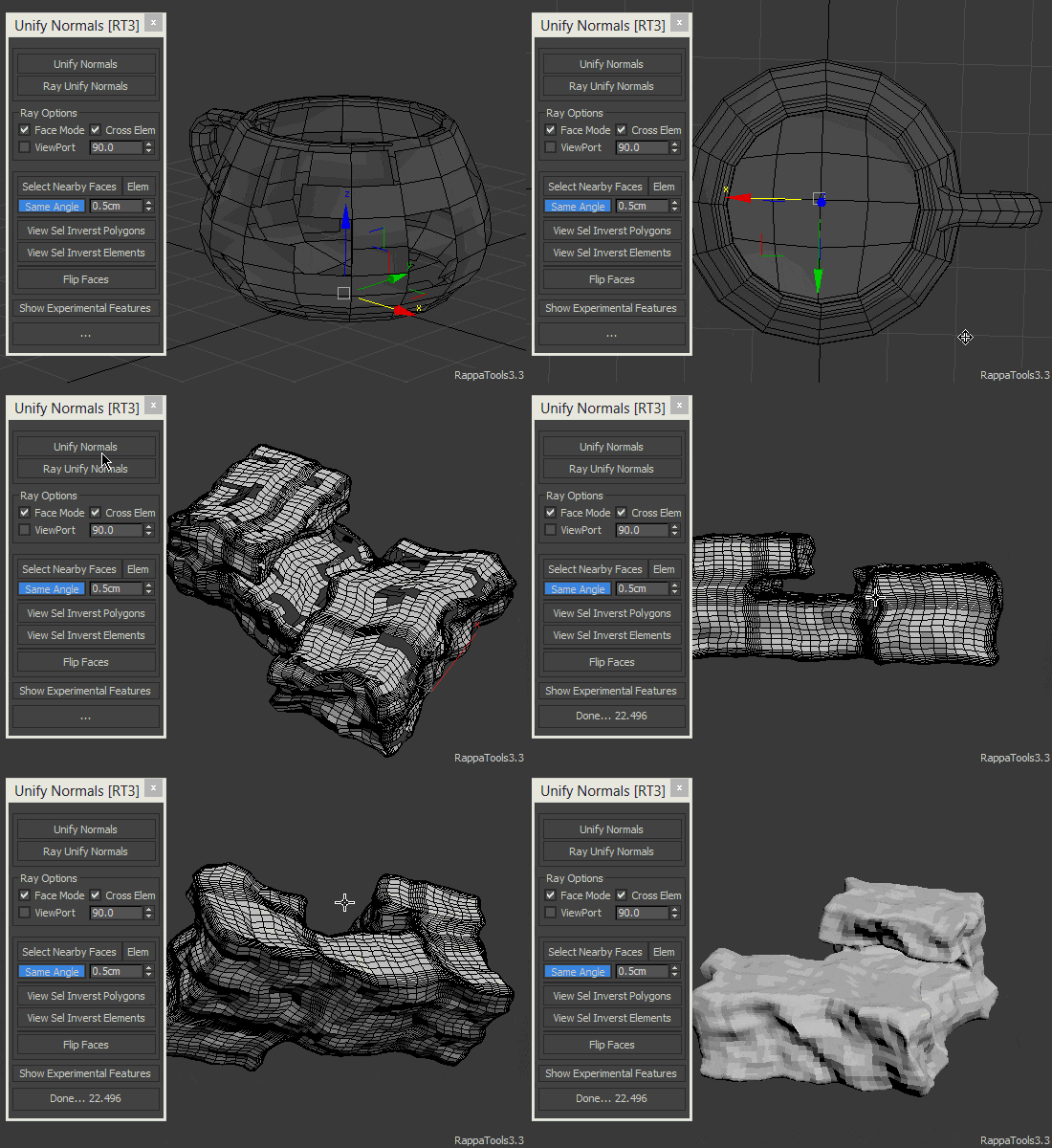
- Unify Normals: Automatically Unify the polygons Normals.
- Quadrify: Remove triangulation in model.
fn: RappaTools3.ObjectsActionsMenufunc()
adv.fn: RappaTools3.ObjectsActionsMenufunc click:true/false
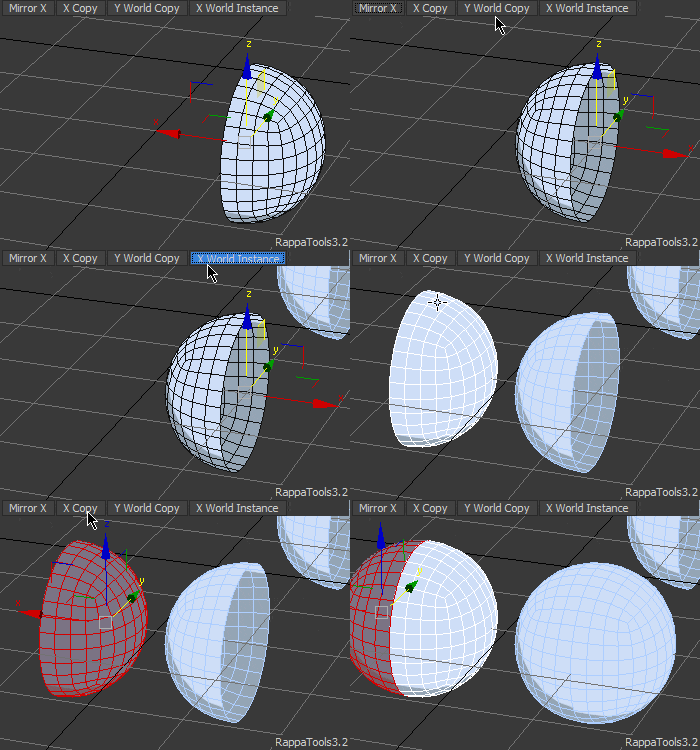
Mirror X Y Z
Mirror on X Y Z axis SubObject Element or Object.
- Click:

- Middle Click:
- Last button from the menu (do last).

fn: RappaTools3.MirrorXfunc() ; RappaTools3.MirrorMenufunc()
adv.fn: RappaTools3.MirrorXfunc ctrl:true/false shift:true/false selLevel:1..5
Flow Connect
Insert Loop and automatically position the created edges with the surrounding flow of the mesh topology.
- Click:
- RingFlowConnect: Insert Loop and automatically position the created edges with the surrounding flow of the mesh topology.
- +Ctrl:
- Flow Connect.
- +Shift:
- Limited Ring Flow Connect.
- +Ctrl+Shift:
- Loop Adjust Flow.
- +Ctrl+Shift+Alt:
- Adjust Flow.

Support for EditPoly Modifier.
fn: RappaTools3.FlowConnectfunc()
adv.fn: RappaTools3.FlowConnectfunc ctrl:true/false shift:true/false alt:true/false selLevel:1..5
Ring Connect
Ring Connect Tool.
- Click:
-
- VertexMode:
- Two verts selected connects them.
- EdgeMode:
- One edge selected it will Ring connect.
- More then one Edge will connect them.
- If ctrl pressed will ring then connect.
- BorderMode:
- Cap.
- PolyMode:
- One Face selected will bevel.
- Two or more RingConnect.
- Default:
- Enters cut mode.
- Right Click:
- Change Ring Connect Segments.

Support for EditPoly Modifier.
fn: RappaTools3.RingConnectfunc()
adv.fn: RappaTools3.RingConnectfunc ctrl:true/false shift:true/false selLevel:1..5
Brushes
Brushes Panel.
In new versions of 3ds max it will use the ribbon brushes, but in older version of max it use the build in brushes.
To use the build in brushes in new version of max hold ctrl then click the brush button.
To stop the build in brushes either press the button again or hold the left click then press right click.

fn: RappaTools3.BrushesUI()
adv.fn: RappaTools3.BrushesUI()
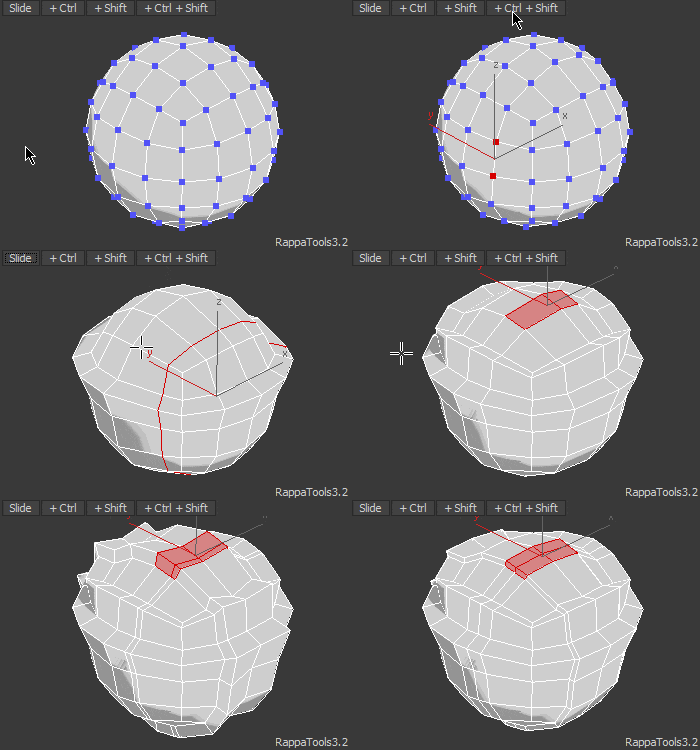
Slide
Slide Edge Loop.
- Click:
- Slide the edge loop.
- +Ctrl:
- Don't loop through selection then slide.
- +Shift:
- Connect Slide.
- +Ctrl+Shift:
- Connect Slide Push.

fn: RappaTools3.Slidefunc()
adv.fn: RappaTools3.Slidefunc ctrl:true/false shift:true/false selLevel:1..5
Push
Push current selection along its normal for all SubObjectLevels.
- Click:
- Push current selection along its normal for all SubObjectLevels.
- +Ctrl:
- Loop then push.
- +Shift:
- Ring Connect then push.

fn: RappaTools3.Pushfunc()
adv.fn: RappaTools3.Pushfunc ctrl:true/false shift:true/false selLevel:1..5
Quick Tools
Some Tools to speed up the workflow.
- Click:

- Middle Click:
- Last button from the menu (do last).
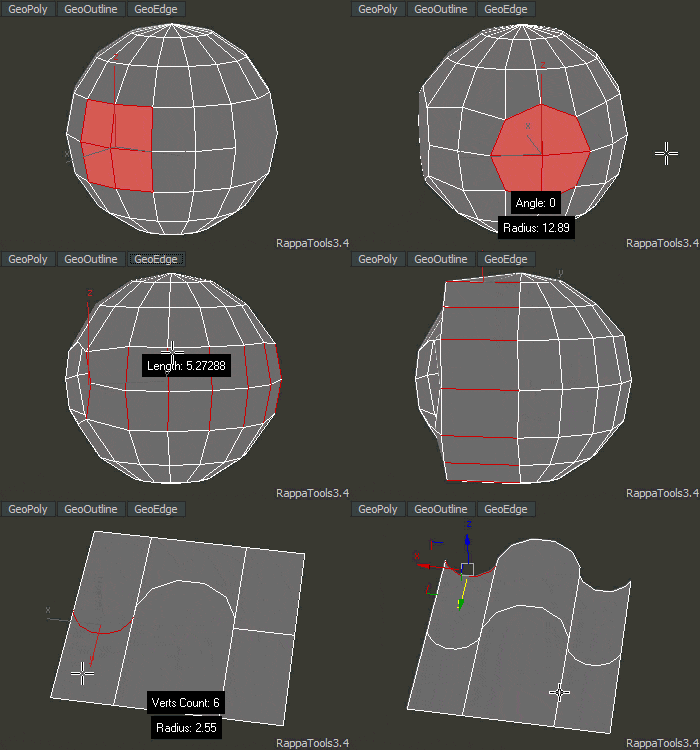
Perfect Polygon: Also known as Geo Poly.
fn: RappaTools3.QuickToolsMenufunc()
adv.fn: RappaTools3.QuickToolsMenufunc click:true/false
Bridge
Bridge selection in current SubObjectLevels.
- Click:
- Bridge.
- +Ctrl:
- AutoConnect Bridge.
- +Shift:
- SmartQuads.
- Right Click:

- Middle Click:
- Last button from the menu (do last).

Limited Support for EditPoly Modifier.
fn: RappaTools3.Bridgefunc() ; RappaTools3.SplineBridgefunc() ; RappaTools3.BridgeMenufunc()
adv.fn: RappaTools3.Bridgefunc ctrl:true/false shift:true/false selLevel:1..5
Relax
Relax current selection for all SubObjectLevels or objects.
- Click:
- Relax: verts, edges, polys, objects.
- +Alt:
- Smart Relax.
- +Ctrl:
- Hard Relax.
- +Shift:
- Relax Loop.
- +Ctrl+Shift:
- Relax without holding boundry points.
- Right Click:

- Middle Click:
- Last button from the menu (do last).

Limited Support for EditPoly Modifier.
fn: RappaTools3.Relaxfunc() ; RappaTools3.RelaxMenufunc()
adv.fn: RappaTools3.Relaxfunc ctrl:true/false shift:true/false alt:true/false
Remove
Remove loops/ring and dissolve.
- Click:

- Middle Click:
- Last button from the menu (do last).
Support for EditPoly Modifier.
fn: RappaTools3.RemoveMenufunc()
adv.fn: RappaTools3.RemoveMenufunc click:true/false
Smoothing Groups
Auto Smoothing Groups.
- Click:
- Auto Smoothing Groups.
- +Ctrl:
- Auto SmoothingGroups threshold:180.
- Right Click:
- Clear All Smoothing Groups.
fn: RappaTools3.AutoSGsfunc() ; RappaTools3.ClearAllSGsfunc()
adv.fn: RappaTools3.AutoSGsfunc ctrl:true/false selLevel:1..5 ; RappaTools3.ClearAllSGsfunc selLevel:1..5
Loop Tools
Loop Tools.
- Click:

- Middle Click:
- Last button from the menu (do last).
fn: RappaTools3.LoopToolsfunc()
adv.fn: RappaTools3.LoopToolsfunc click:true/false
Verts Tools
Verts Tools.
- Click:

- Right Click:
- Collapse.
Support for EditPoly Modifier.
fn: RappaTools3.eVertsToolsWin()
adv.fn: RappaTools3.eVertsToolsWin()
Align/Scale/...
Align Scale.
- Click:

- Right Click:
- GetSetPointPos Tool.
- Middle Click:
- Last button from the menu (do last).
fn: RappaTools3.AlignMenufunc()
adv.fn: RappaTools3.AlignMenufunc click:true/false
Copy / Paste
Copy or Paste objects, object transform and materials.
- Click:

- Middle Click:
- Last button from the menu (do last).
Copy Objects: Lets you copy objects from a scene to another, or max instance.
Copy Transform: Lets you copy objects position from a scene to another.
Copy Material: Lets you copy objects position from a scene to another, or max instance.
You can change the temp path for Objects/Materials to a network path. By doing that you can copy from a pc to another.
fn: RappaTools3.CopyPasteMenufunc()
adv.fn: RappaTools3.CopyPasteMenufunc click:true/false
Add modifier
Add Modifier.
- Click:

- Right Click:

- Middle Click:
- Last button from the menu (do last).
fn: RappaTools3.AddModifierMenufunc() ; RappaTools3.TSchangeUI()
adv.fn: RappaTools3.AddModifierMenufunc click:true/false
Quick Create
Quick Create.
- Click:

- Middle Click:
- Last button from the menu (do last).
fn: RappaTools3.QuickCreateMenufunc()
adv.fn: RappaTools3.QuickCreateMenufunc click:true/false
Cams & Lights
Cams & Lights.
- Click:

- Middle Click:
- Last button from the menu (do last).
If you click 'VrayPhysicalCam' while holding ctrl it will create the camera where the viewport is, like ctrl+c in max but with the vray cam.
fn: RappaTools3.CamLightsMenufunc()
adv.fn: RappaTools3.CamLightsMenufunc click:true/false
View Tools
View Tools.
- Click:

- Right Click:

- Middle Click:
- Last button from the menu (do last).
fn: RappaTools3.ViewToolsMenufunc() ; RappaTools3.eViewportWin()
adv.fn: RappaTools3.ViewToolsMenufunc click:true/false
Materials
- Click:

- Right Click:

- Middle Click:
- Last button from the menu (do last).
fn: RappaTools3.MaterialsMenufunc() ; RappaTools3.MaterialsMenufunc()
adv.fn: RappaTools3.MaterialsMenufunc click:true/false
Render
Render.
- Click:

- Right Click:

- Middle Click:
- Last button from the menu (do last).
fn: RappaTools3.RenderMenufunc() ; RappaTools3.eRenderWin()
adv.fn: RappaTools3.RenderMenufunc click:true/false
Isolation Mode
Isolation Mode.
- Click:
- Hide/Unhide unselected objects.
- Right Click:
- Lock/Unlock Selection movement.
fn: RappaTools3.IsolationModefunc() ; RappaTools3.LockSelectionfunc()
Expert Mode
Expert Mode.
- Click:
- Enter Complete Expert Mode.
- +Alt:
- Hide menu bar.
- +Ctrl:
- Toggle Command Panel.
- +Shift:
- Tweak Mode On/Off.
fn: RappaTools3.ExpertModefunc()
adv.fn: RappaTools3.ExpertModefunc ctrl:true/false shift:true/false alt:true/false
Tools
Tools.
- Click:

- Right Click:

Toggle Time Slider: The trackbar and the time slider will be toggled on/off.*
Toggle Status Bar: The status bar will be toggled on/off.*
Change Max Priority: Toggle max priority to normal or low.*
Stationary Caddy: Will make the Caddys always apeare in the same place.*
Minimal UI: Toggle the QuickAccessToolBar and InfoCenterToolBar.
Minimal UI Light: Toggle the InfoCenterToolBar.
*When opening max, RappaTools will restore the last settings of the toggles.
fn: RappaTools3.eToolsWin() ; RappaTools3.ToolsMenufunc()
Random Fly
Randomize the pozition, rotation and scale of the objects. Also you can quick rotate them.
- Click:

fn: RappaTools3.oRandomFlyWin()